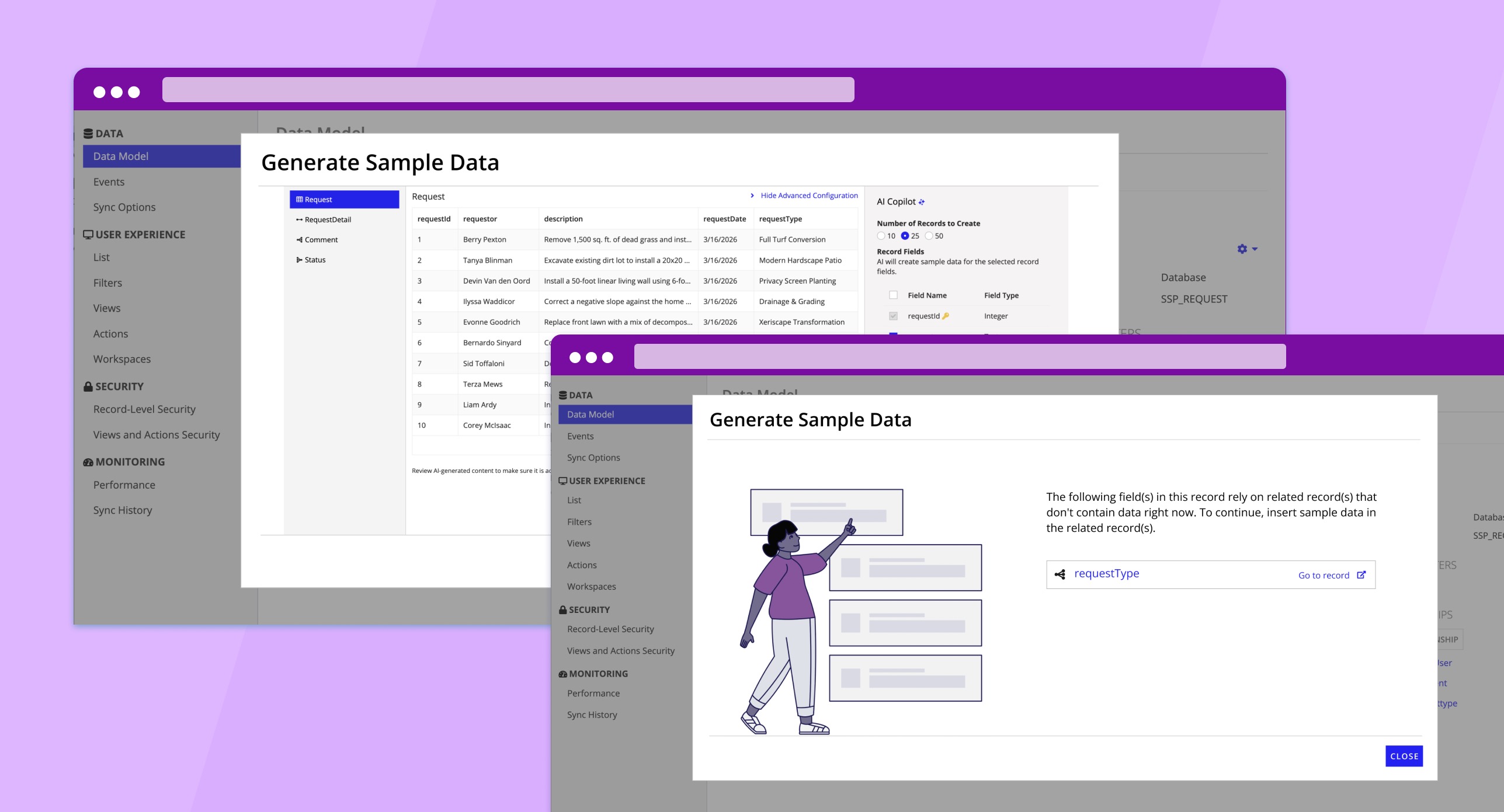
Context
Appian is a low-code enterprise platform where developers build complex business applications. A constant pain point? Sample data. Teams need realistic data to validate their UIs, test workflows, and demo to stakeholders -- but creating it was always a manual, tedious chore.
I noticed developers were stuck either hand-typing fake data or copying old datasets that didn't fit their schema. The result: development environments full of "test123" entries, poor early testing, and demos that didn't land. I saw an opportunity to fix this with AI.
The Problem
Creating quality sample data in Appian was one of those tasks everyone hated but nobody had solved. Developers would spend hours manually entering rows of data, and the result was usually low-quality filler like "test123" and "test description." That made it hard to build realistic UIs, validate business logic, or run a convincing demo.
The Solution
I designed a flow where developers can generate high-quality, realistic test data with just a few clicks. It uses Appian's private AI (powered by AWS Bedrock) to look at your data model and generate data that actually matches your schema -- field types, relationships, and all. You pick how many rows you want, hit generate, and you've got usable data. And because data models change, you can regenerate anytime without starting from scratch.
My Role
I was the sole UX designer on this feature, which meant I owned every part of the process from problem framing through launch:
- •Defining the problem and narrowing the scope of work
- •Ideation on possible solutions
- •Interviewing target users for insights
- •Creating interactive prototypes
- •Usability testing and iterating on designs
- •Identifying and designing for edge and error cases
- •Working with developers and product management to implement the feature
Design Process
After gathering requirements, I explored different approaches for where this feature should live within Appian's Data Fabric and how users would actually interact with it. My north star was simplicity -- if generating sample data felt like yet another complex task, nobody would use it.
User Flow
User clicks "Generate Sample Data" to launch the flow
Wizard pop-up previews sample data based on existing data field names and types
Users can use "Advanced Configurations" to generate more relevant data
User data model is updated with AI-generated sample data
Behind the Scenes
Here's a glimpse of what my process actually looked like. I don't start in high-fidelity -- I start with questions, sketches, and a lot of back-and-forth with engineering and product.
Competitive Analysis
Before drawing anything, I surveyed how other tools (Mockaroo, Faker.js, Retool) handle data generation. I mapped out what worked, what felt clunky, and where our opportunity was -- especially around schema-aware generation, which most tools ignored.
Early Explorations
I explored multiple entry points for the feature -- a standalone tool, inline within record types, or a wizard flow. After whiteboarding with engineering, the wizard approach won out because it kept the cognitive load low and the context clear.
Iteration Cycles
I went through three major design iterations, each informed by developer feedback. The biggest pivot was moving from a "generate and review" model to a "preview and refine" model -- users wanted to see data before committing to it.
Usability Testing
I ran moderated usability sessions with Appian developers, watching where they hesitated, what they skipped, and what confused them. The "Advanced Configurations" panel came directly from testers asking for more control over data diversity.
Design Goals
- •Reduce time and effort required to create usable sample data
- •Maintain user trust in AI-generated outputs
- •Provide transparency without overwhelming users
- •Ensure generated data aligns with schema and application context
- •Design a scalable pattern for future AI features
Research Insights
I ran interviews and usability tests with Appian developers. A few themes kept coming up:
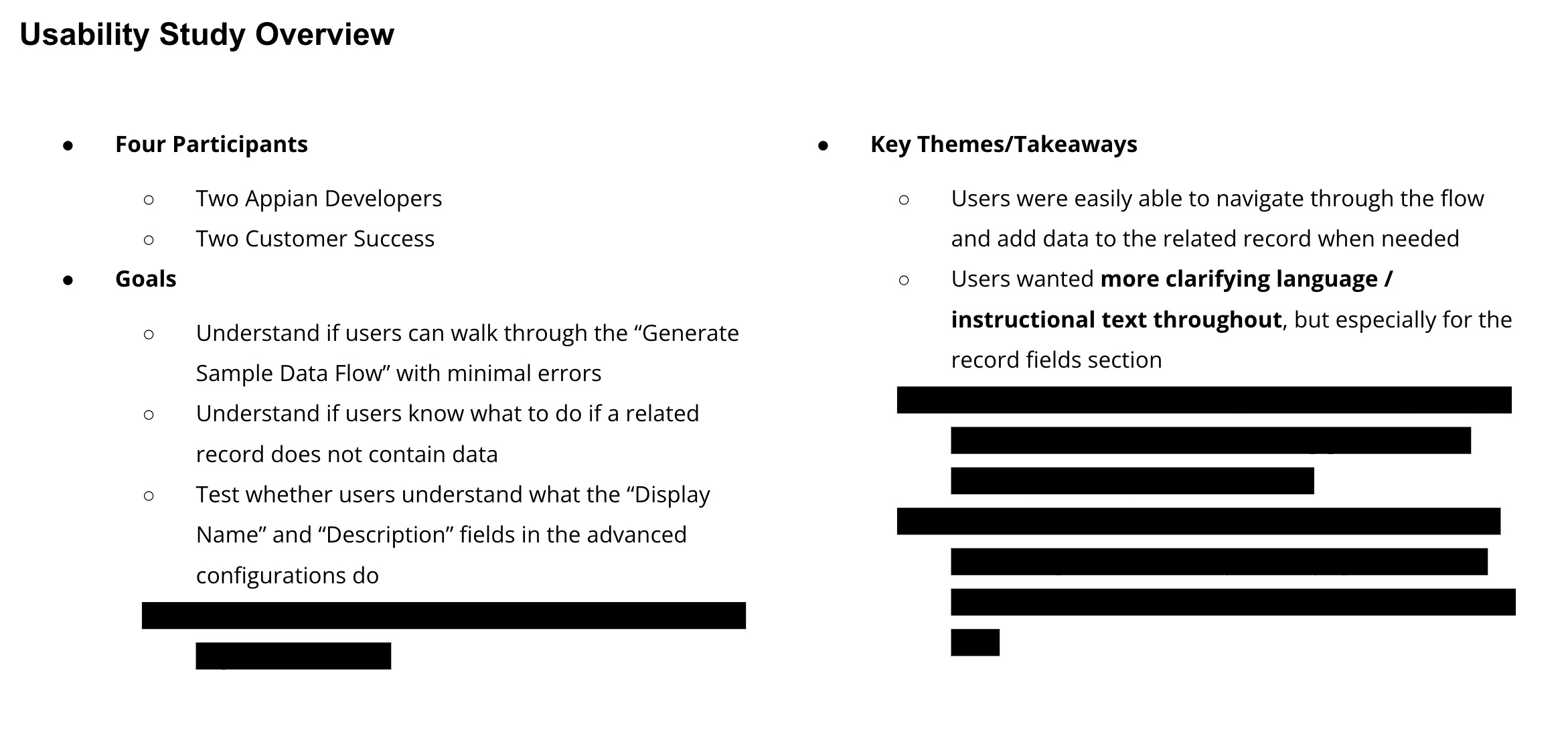
Speed matters most early, but accuracy matters before demos
Users wanted AI to assist, not override their intent
Lack of visibility into how data was generated reduced trust
Developers needed easy ways to regenerate or tweak results
These insights shaped the experience around control and iteration, not one-click automation.
The Experience
The shipped experience spans entry point, data generation, advanced configuration, and edge case handling -- all designed to feel like a natural extension of Appian's existing Data Fabric.
Entry & Generation
Users launch from an explicit "Generate Sample Data" action within their record type. The AI reads the existing schema -- field types, required vs optional fields, relationships -- and generates data that respects those constraints. Users see a preview before committing, making the process collaborative rather than a black box.
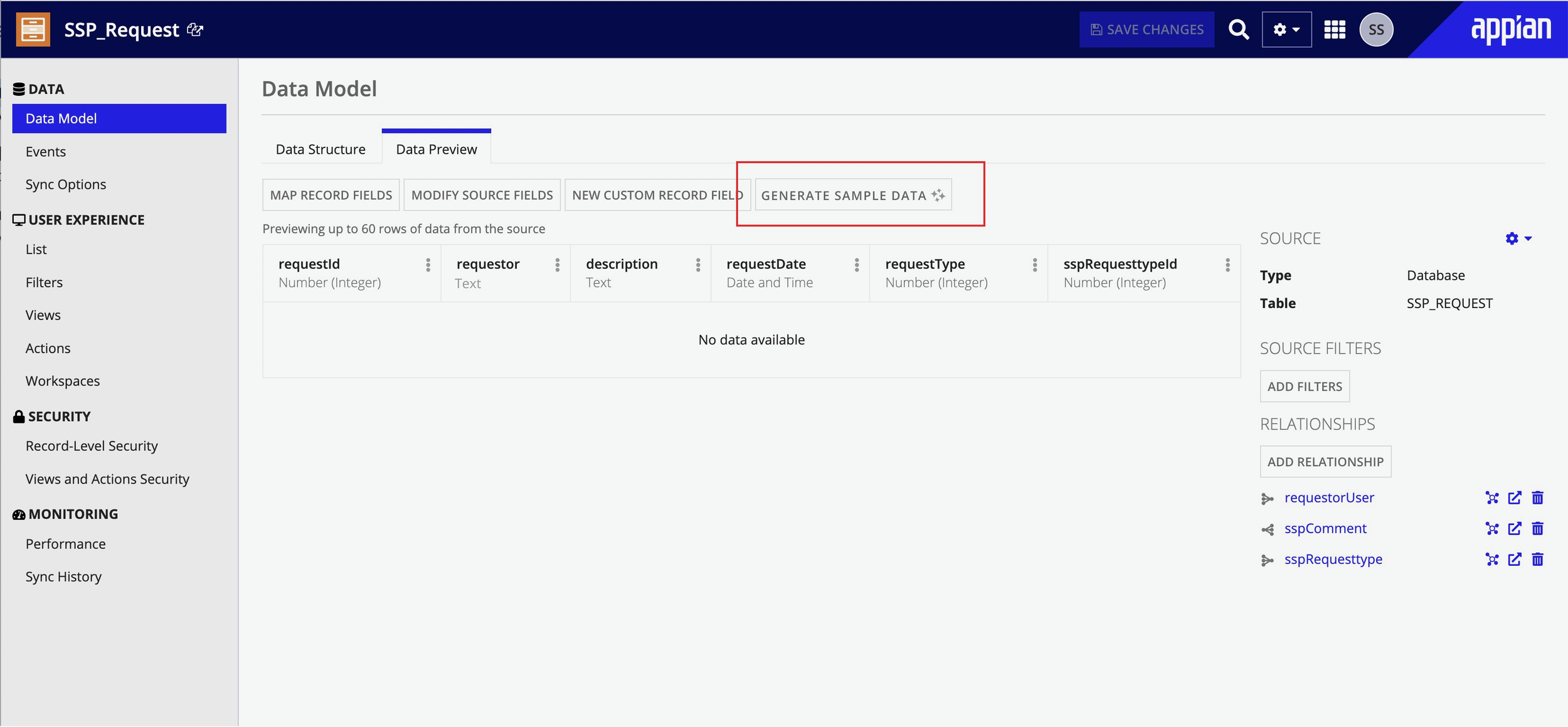
Empty state -- clear entry point with "Generate Sample Data" action.
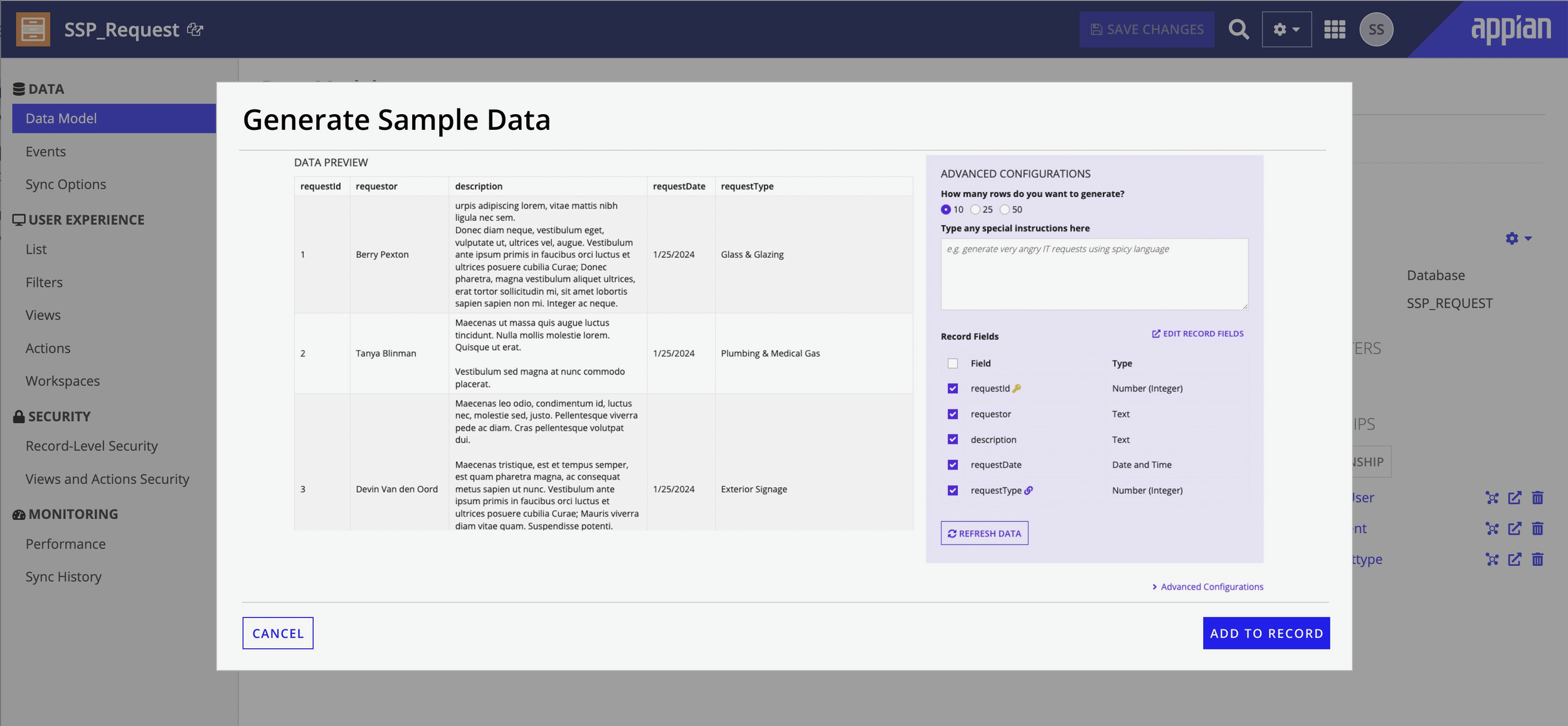
Preview state -- schema-aware data generated with the configuration panel alongside.
Iteration & Transparency
In testing, users almost never accepted the first result -- so I designed for iteration, not one-shot perfection. Clear regeneration controls, lightweight editability, and fast feedback loops encourage experimentation. Early concepts showed too much AI detail and slowed people down; the final design surfaces just what was generated, where it can be edited, and what can be regenerated.
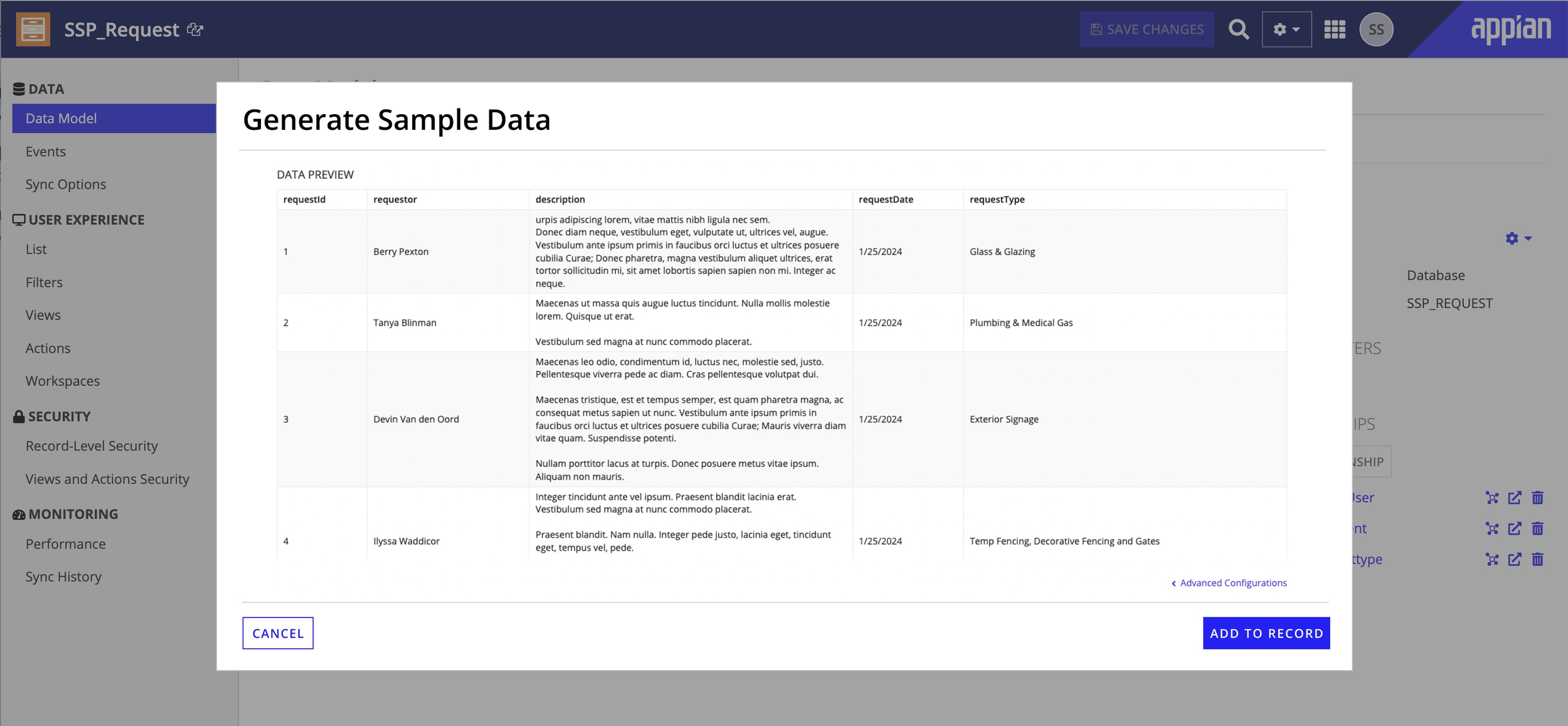
Data preview -- realistic rows ready for review, regeneration, or inline editing.
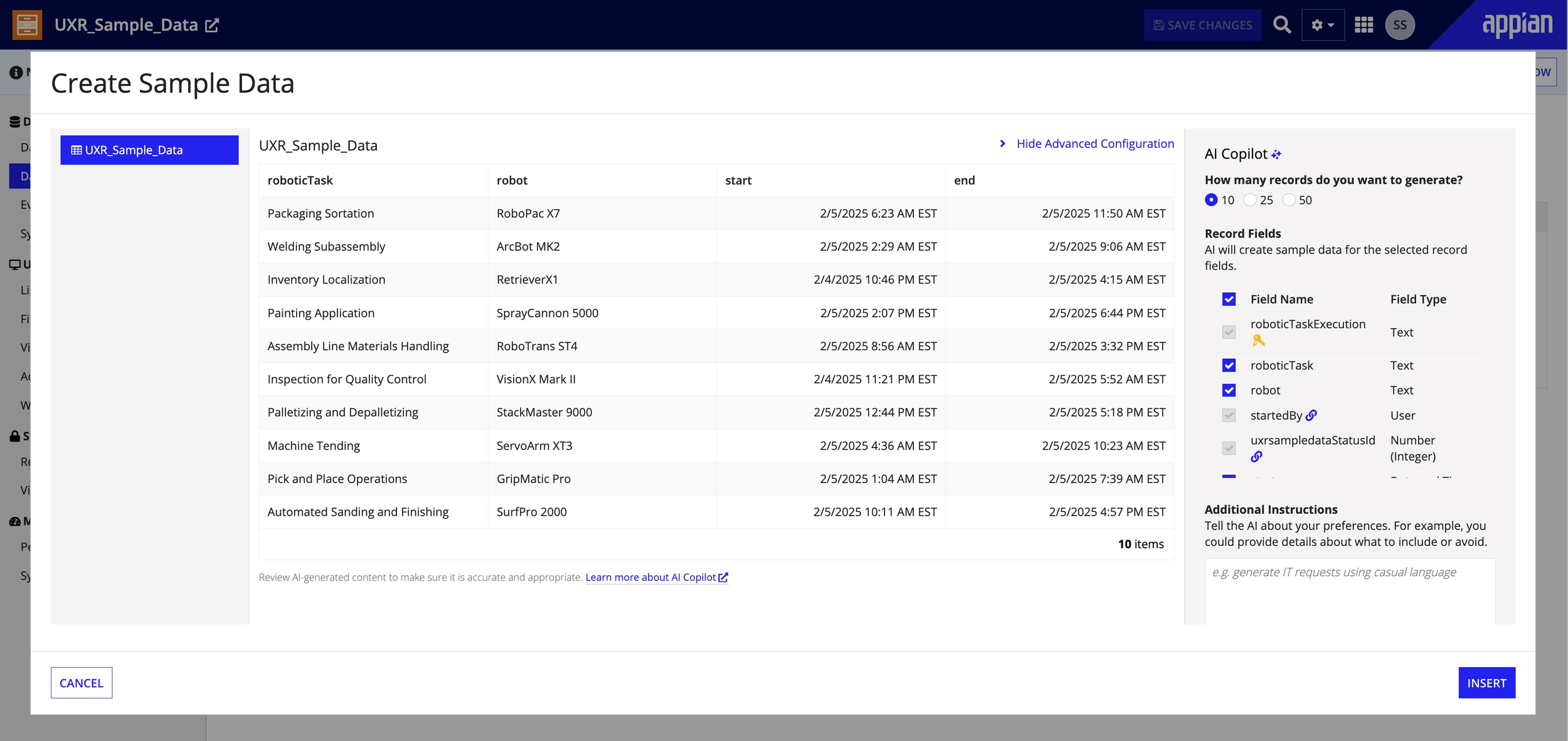
Final shipped UI -- balanced transparency without overwhelming AI detail.
Advanced Configuration
The configuration panel gives power users fine-grained control -- record quantity, related record quantity, field selection (with primary keys locked for integrity), natural language instructions, and a refresh-all option.It's hidden by default so first-time users aren't overwhelmed.
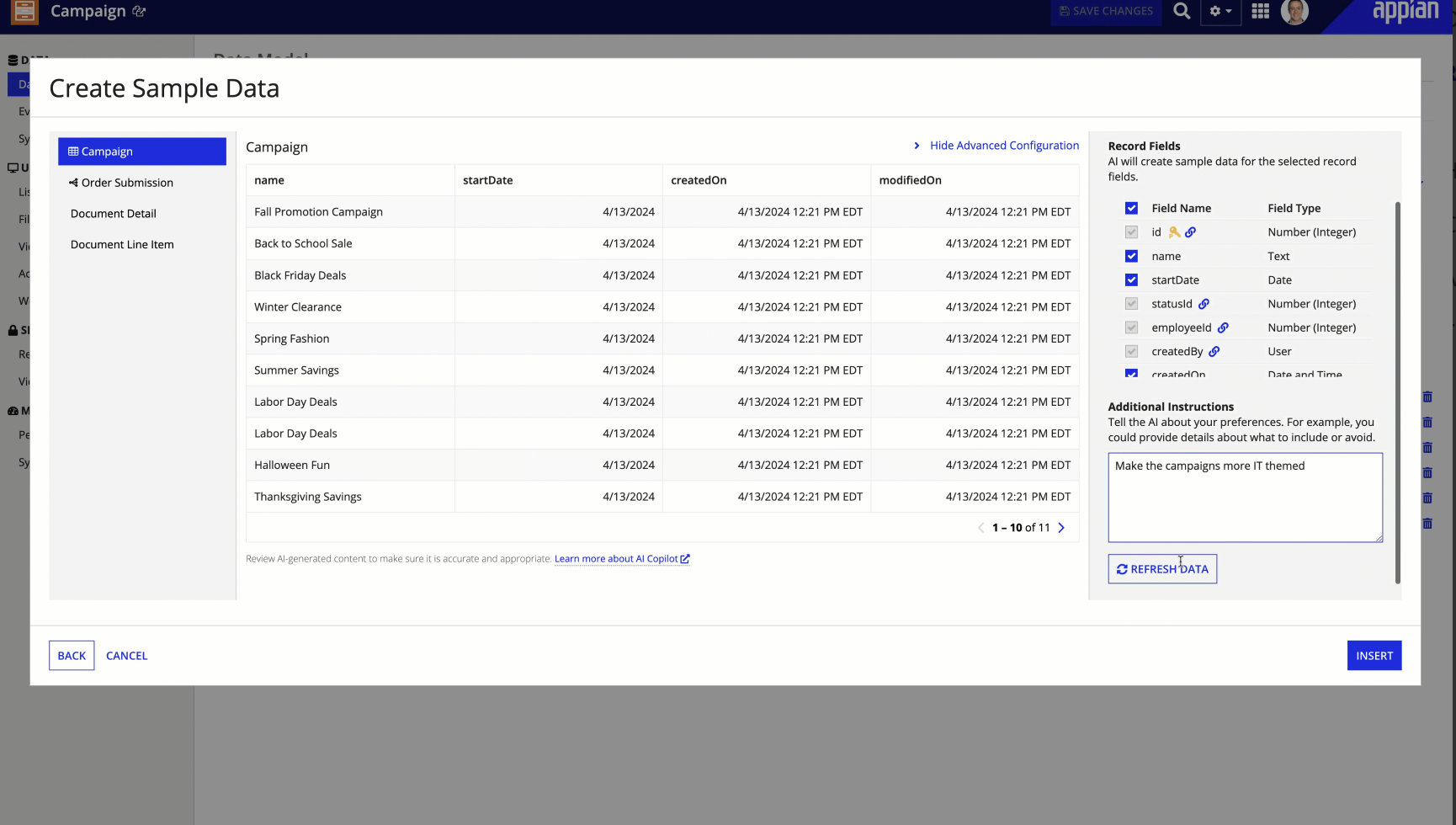
Advanced configuration -- field selection, quantity, and natural language instructions.
Edge Cases & Constraints
Enterprise data models are messy. I designed for a range of non-ideal scenarios: related record dependencies that need data first, access permission issues, AI returning fewer records than requested (to avoid sensitive data), unsupported configurations, and post-insertion inline editing so users can refine results without regenerating.
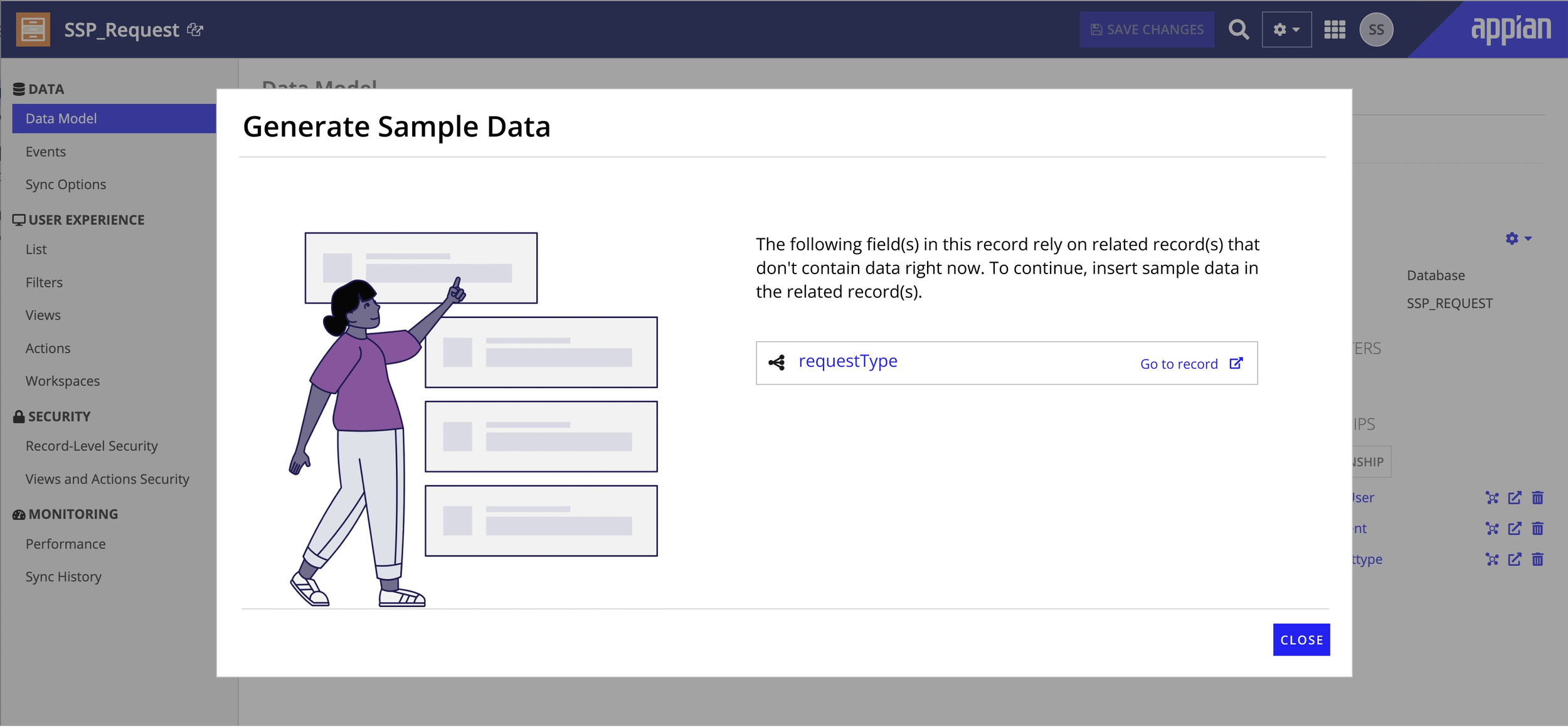
Dependency state -- clear guidance to populate related records first.
Designed for:
Related record type dependencies
Access permission issues
Fewer records than requested
Unsupported configurations
Post-insertion inline editing
My Influence & Tradeoffs
Being the sole designer meant every UX decision was mine to own. Here's how I collaborated with the team to navigate key tradeoffs:
Evolving to a "Preview and Refine" Model
The initial product spec proposed a "generate and done" flow -- a straightforward approach that made sense on paper. However, my usability testing revealed an important insight: developers rarely accepted the first result. They wanted to tweak, regenerate, and verify. I shared these findings with the team and proposed evolving to a "preview and refine" model. While this meant rethinking the wizard architecture, the team saw the value once I walked through the user session recordings. Post-launch feedback confirmed the investment paid off.
Finding the Right Balance for Advanced Options
There was an early discussion about keeping the UI minimal -- just a generate button and row count. I brought competitive analysis showing that enterprise developers often need more control, and proposed a compromise: hide advanced options by default but make them easily discoverable. This approach balanced simplicity for new users with flexibility for power users, and the team agreed it was the right middle ground.
Key Results
Increased sales
Enabled the Sales team to more quickly prepare for and deliver impactful prospect/analyst demos with build-from-scratch live flows
Increased Appian's value proposition
Helped developers more quickly prepare for and deliver impactful stakeholder demos
Improved developer experience
Sped up application development (e.g. building UIs and business logic) by eliminating the manual data setup task
Increased adoption of AI features
Enabled developers to populate record types and related record types with high-quality data for testing AI features like Records Chat in lower environments
Improved application quality
Facilitated all sorts of development lifecycle testing including unit testing and user acceptance testing
This work also established foundational AI UX patterns that informed future AI-assisted features at Appian.
Reflection
This project reinforced something I've come to believe deeply: AI UX is about trust, not automation. In enterprise settings, people would rather have a workflow they understand than a fast one that feels opaque. Clarity, reversibility, and control aren't friction -- they're the features.
If I were to take this further, I'd explore:
- •Inline editing during generation
- •Smarter defaults based on past user behavior
- •Deeper visibility into data quality indicators